

Run a Meilisearch instance
First, create a new Meilisearch project on Meilisearch Cloud. You can also install and run Meilisearch locally or in another cloud service.The host URL and the API key you will provide in the next steps correspond to the credentials of this Meilisearch instance.
Scrape your content
docs-scraper is a scraper tool that automatically reads the content of your website and stores it into a Meilisearch index.docs-scraper is in reduced-maintenance mode. If you’re on Meilisearch Cloud, consider using the built-in crawler instead. For a self-hosted alternative, see Scrapix.
Configuration file
The scraper tool needs a configuration file to know what content you want to scrape. This is done by providing selectors (for example, thehtml tag).
Here is an example of a basic configuration file:
index_uid field is the index identifier in your Meilisearch instance in which your website content is stored. The scraping tool will create a new index if it does not exist.
The docs-content class is the main container of the textual content in this example. Most of the time, this tag is a <main> or an <article> HTML element.
lvlX selectors should use the standard title tags like h1, h2, h3, etc. You can also use static classes. Set a unique id or name attribute to these elements.
All searchable lvl elements outside this main documentation container (for instance, in a sidebar) must be global selectors. They will be globally picked up and injected to every document built from your page.
Run the scraper
You can run the scraper with Docker:For other installation methods, refer to the [docs-scraper repository](https://github.com/meilisearch/docs-scraper#run-the-scraper.
<absolute-path-to-your-config-file> should be the absolute path of your configuration file defined at the previous step.
The API key should have the permissions to add documents into your Meilisearch instance. In a production environment, we recommend providing the Default Admin API Key as it has enough permissions to perform such requests.
More about Meilisearch security.
Integrate the search bar
You can use meilisearch-docsearch, a community-maintained front-end component, to integrate a search bar into any documentation website.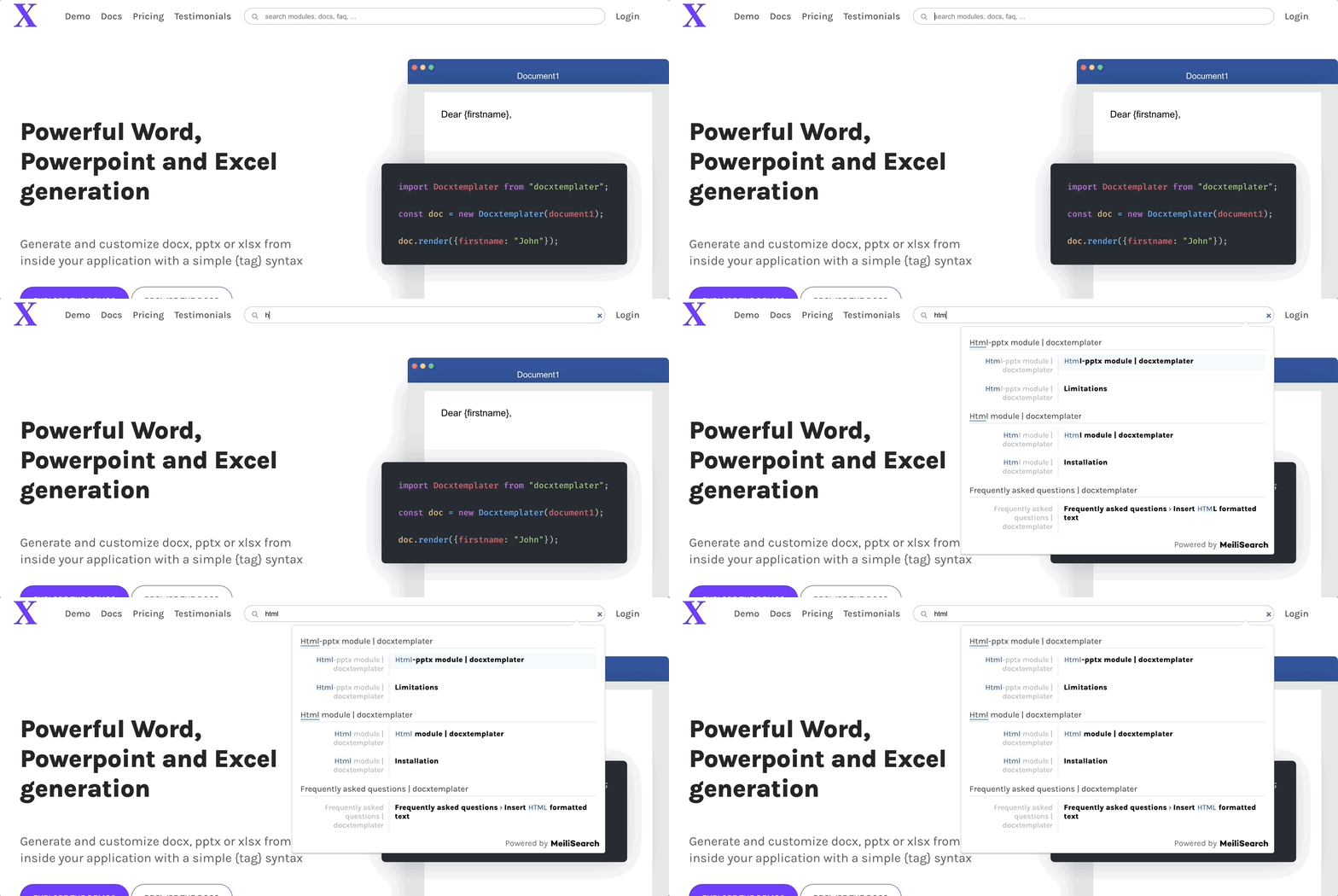
host and the apiKey fields are the credentials of the Meilisearch instance. Following on from this tutorial, they are respectively MEILISEARCH_URL and your Default Search API Key.
indexUid is the index identifier in your Meilisearch instance in which your website content is stored. It has been defined in the config file.
container is the CSS selector of the div element where the search box will be rendered.